
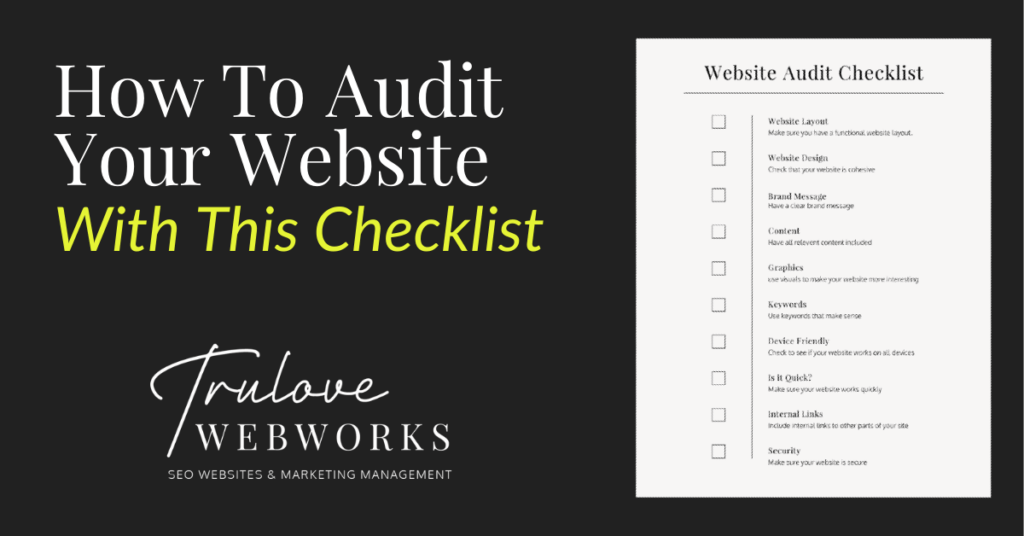
Creating a good website is an important step to creating a good business. Auditing your website sounds like a scary and time-consuming task but it’s really simple. It can help you identify what works and what doesn’t, that way you can get more leads and improve your SEO. Here are some items to consider to make sure your site is working well and drawing people in.

Complete Audit Checklist
Visual Impressions
1: Website Layout
Why it’s important:
Having a well-laid-out website helps increase its functionality for those who visit your site. If your site is difficult to navigate and hard to use then customers will leave and you lose a potential sale. Also, when users aren’t staying on your site long enough, google assumes it’s a bad website and lowers your SEO ranking. Creating a well-thought-out website with relevant pages will help lead your customers right into your arms and get that SEO rank up!
How to check for it:
Make sure you have pages on your site that include content that is relevant to your business. Including a business statement, about information, services, accreditations, testimonials, faq’s and contact information is a good place to start. Also, check to see if you can get to each page easily and quickly and everything is easy to read. Friends are great for this. Have someone whose honest opinion you value go to your site and look for a specific piece of information, then ask them how easy or difficult it was to find.
2: Website Design
Why it’s important:
Having cohesive branding throughout your site helps create your business image. Whether you have what they are looking for or not, your design is going to make the biggest initial impression. Make it a good one. A well-designed website looks more professional and helps customers understand who you are. Design elements include your logo, font and color usage, and imagery used. But none of that means anything if your website design doesn’t evoke the feeling you are trying to convey or illustrate your company’s culture to the user. For SEO purposes, a captivating website design will increase how long someone stays on your site thus better SEO (See the theme? If users like it, Google does too!)
How to check for it:
Close your eyes, click a link to your website and open them up right as it loads. Without any attachment to the investment you’ve made in your website and your brand, ask yourself; how does it make you feel? Do you immediately know what the company does? Does it truly represent your brand? Then as you flow through the page, check to see that every design element is cohesive and aesthetically. When all else fails, ask a friend.
3: Your Brand’s Message
Why it’s important:
Establishing your brand’s messaging is basically just narrowing down your target audience and defining how you serve them. Making this message clear throughout your website design & content will help visitors know immediately what you are about. If they feel like they can relate, you’ve just earned yourself a loyal customer!
How to check for it:
When looking through your website, check that the tone is consistent and the audience is clear. Once you’ve established who you’re talking to, check that you are using language that persuades them to take immediate action.
4. Content
Why it’s important:
The actual content on your website is what will let potential customers know what you actually do and can help increase your SEO(more about that below). Your content includes what you provide for your customers, relevant images, your brand’s purpose and so much more! This is where you sell what you do.
How to check for it:
This one is easy. Any question a customer has ever asked or may ask in the future needs to be readily accessible within your content. If the question is better answered in a consultation, at least address the question and encourage them to contact you for more information.
5. Graphics
Why it’s important:
Most people are visual learners so including some pictures or videos can help add to what your business does and keep users interested in your website.
How to check for it:
Check to see that you include images that are relevant to what you do. Make sure that these images are optimized for the web (This means they are sized correctly and named to be descriptive & SEO friendly). You can utilize stock photos but you can also include your own pictures. Just make sure they look professional!

Technical Audit Checklist
6. Keywords
Why it’s important:
Here is where technical SEO comes in. Keywords are incredibly important to boosting your SEO. Using the right words within your content helps search engines know what your website is about and can help lead users in the right direction.
How to check for it:
Make a list of things you think potential customers will put into their search bar to find you. They can be longer phrases or just a few words. The key is finding the search terms that will lead the right people to you, rather than casting a huge net and hoping you catch something good. Once you have your list, check in your page titles, headings, subheadings, and paragraph text to see that you are including some of these words.
7. Device friendly
Why it’s important:
You want your website to work across all devices (mobile, tablets, and computers). This will help you be reached more easily and help increase your SEO.
How to check for it:
You can check this by using Google’s mobile friendly test or just look at your site through a tablet or phone to make sure everything looks and works how it should!
8. Is it Quick?
Why it’s important:
If users have to wait for your website to load for too long they will get frustrated and leave. This will lower your SEO rank.
How to check for it:
There are many ways to check if your website is speedy. Using free resources that can check your website like Google’s PageSpeed can help. Also just checking your site for yourself can help you identify what needs to be fixed.
9. Internal Links
Why it’s important:
Internal links help navigate users to different parts of your site easily. This helps improve the way your site can be navigated and helps it have a higher SEO rank.
How to check for it:
If you are referencing another subject on your site make sure the text is linked to the page where they can find more information.
10. Security
Why it’s important:
Search engines want their users to be cybersafe so anytime your site gets breached they penalize your SEO.
How to check for it:
Make sure you are maintaining your site and using SSL certificates to keep it secure!

Checking that your website includes all of these elements can help improve your SEO ranking and generate those important leads. The word audit can sound terrifying but as soon as you get started it’s easy!
Need help with your website audit? Give us a call!
Looking for some marketing tools? Look here at some that we recommend!
Love it? Share it!

About The Author
I'm KT and I'm the face behind Trulove Webworks. I live in Montgomery, TX with my husband and 3 beautiful daughters. I love design and business strategy but the real reason I do what I do is because I want to see more small businesses thrive.
- Katelyn Trulove
Related Posts

Your Customers Aren’t Just Searching Google Anymore: What AI Search Means for Local Businesses
Katelyn Trulove | September 15, 2026
For years, getting found online largely meant one thing: showing up on Google. Google is still incredibly important — and that isn’t changing anytime soon. But the way people search for businesses, services and information is expanding. More people are turning to AI platforms like ChatGPT to ask questions, research their options and get recommendations….

Can You Tell If Your Business Is Showing Up in AI Search? Google Is Finally Giving Us Data
Katelyn Trulove | September 15, 2026
For the past couple of years, businesses have been hearing the same thing: search is changing because of AI. The problem was that measuring that change wasn’t particularly easy. We could see AI Overviews appearing in Google. We could see people using platforms like ChatGPT to research businesses, products and services. We could optimize websites…

Nearly a Third of Businesses Sued Over Website Accessibility Already Had a Widget Installed
Katelyn Trulove | September 15, 2026
Here’s a stat worth sitting with: of the 432 new ADA website accessibility lawsuits filed in August 2026, roughly 31% of the businesses being sued had already installed an accessibility widget on their site before the lawsuit landed. About a quarter of the businesses sued had been sued over this before, too. We’ve written before…

WordPress Care Plans for Small Businesses: Updates, Security, Speed
Katelyn Trulove | June 24, 2026
WordPress care plans: updates, backups, security, and peace of mind If your WordPress site brings you customers, every outage, slowdown, or broken form is money left on the table. Proactive maintenance keeps the engine humming so you can focus on running the business, not fixing surprise issues. At Trulove Webworks, we care for small business…

Custom WordPress Website Cost: Real Pricing for Small Businesses
Katelyn Trulove | June 24, 2026
What a custom WordPress website really costs (and why) If you have checked five different quotes for a “custom WordPress site” and felt like you were comparing apples to lawnmowers, you are not alone. Prices vary because “custom” can mean very different things, from stacking page builders and plugins to a clean, purpose-built theme that…

Lead Generation for Local Service Businesses: SEO, Ads, GBP
Katelyn Trulove | June 24, 2026
From clicks to clients: lead generation options (SEO, Ads, GBP, and social) for local service businesses If you run a local service business, you do not want more clicks. You want booked jobs. The right mix of channels can turn searches and scrolls into phone calls, form fills, and appointments. In this guide, we compare…

What Pages Does Your Business Website Actually Need?
Katelyn Trulove | June 13, 2026
If you’re a local service-based business owner planning a new website, one of the first questions you’ll probably ask is: “How many pages am I supposed to have?” And honestly, most businesses are overthinking it. Many business owners assume they need a huge website with dozens of pages and endless content to look professional online….

How Much Does Website Design Cost in Montgomery County, TX?
Katelyn Trulove | April 20, 2026
If you’re researching website design in Montgomery County, TX, you’ve probably noticed something fairly quickly: website prices vary widely. Some website designers quote a website project for a few hundred dollars, while others quote several thousand. For business owners trying to budget for a new website, that range can make it difficult to know what’s…

How Our Stress-Free Website Design Process Works
Katelyn Trulove | April 6, 2026
If you’ve ever tried to launch a new website for your business, you know the process can feel a little overwhelming. Between content, design decisions, timelines, and technical details, it’s easy for website projects to become confusing or stall before they ever launch. That’s exactly why the Stress-Free Website Process by Trulove Webworks was created….

The Real Reason Website Design Feels So Hard for Business Owners
Katelyn Trulove | March 30, 2026
If you’ve ever started a website project and immediately felt overwhelmed, confused, or exhausted… you’re not alone. And more importantly, it’s not because you’re “bad at tech” or “not creative enough.” Most of the stress around website design for Montgomery County business owners comes from how the process is typically handled. Business owners are often…
- « Previous
- 1
- 2
- 3
- 4
- Next »


Serving Montgomery, TX, Magnolia, TX, Conroe, TX, Tomball, TX, The Woodlands, and all of The Greater Houston Area
832-349-4231
© Trulove Webworks 2024